 Skip to content

INTRODUCTION:
The Freq is a continuous-time-domain frequency shifter based on the Hilbert transform, delivering exceptionally smooth and natural frequency shifting. Its continuous modulation response allows for fluid, artifact-free movement over time, making it especially well-suited for dynamic modulation and evolving sound design.
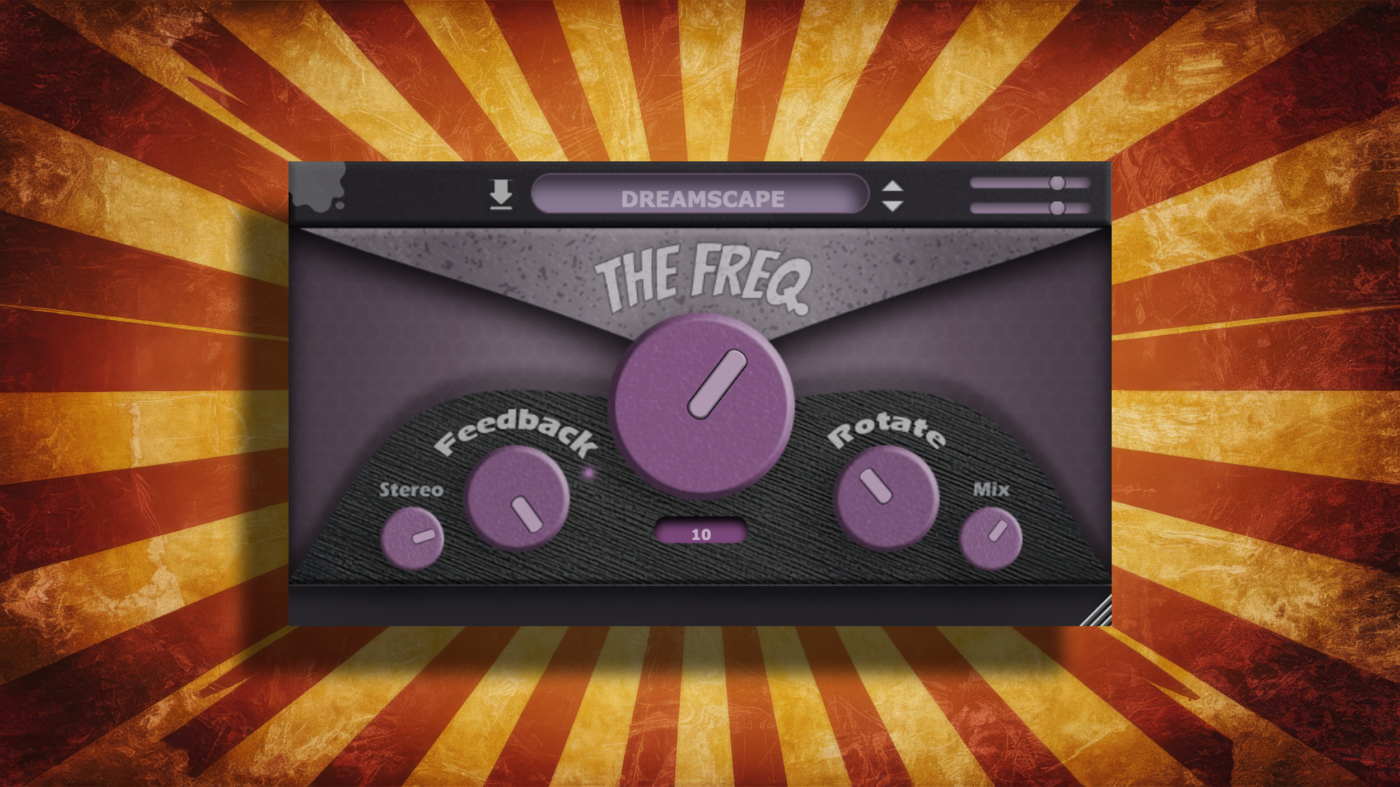
overview
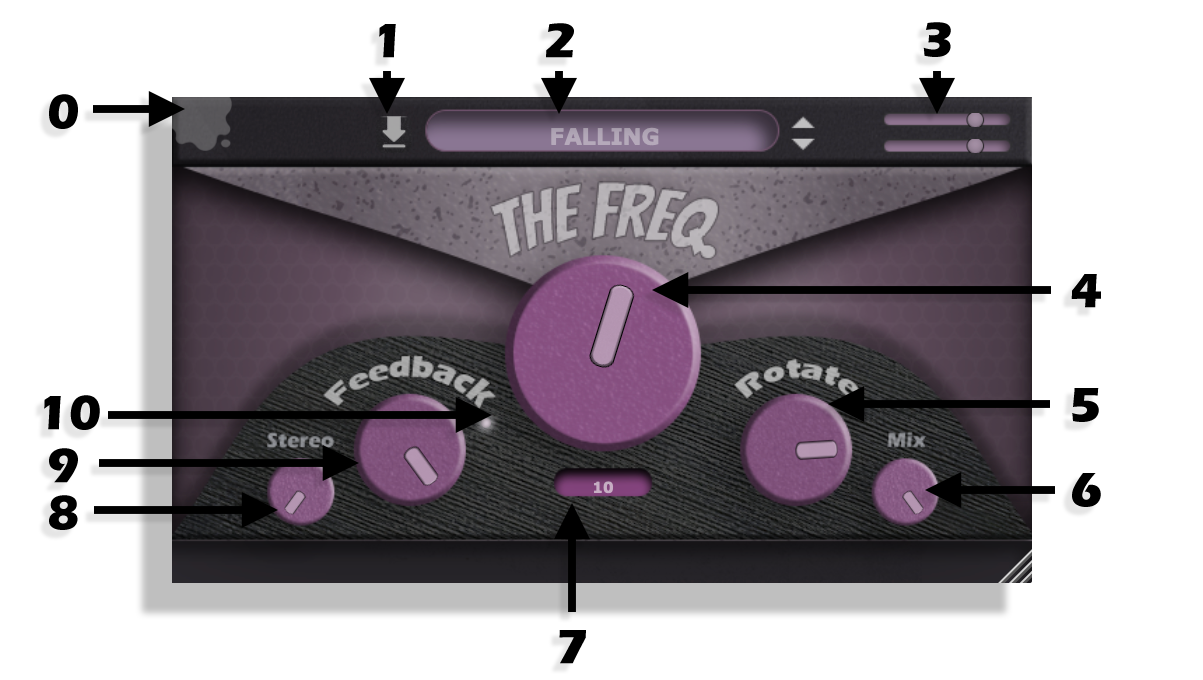
(0) Gooey Icon
Hovering over the Gooey icon will display a tooltip containing the current version number of the product. Clicking the icon will bypass the plugin.
(1) Preset Save Icon
Click to save a preset. Presets are stored locally within the user preset folder.
(2) Preset Menu
Click to browse the full list of saved presets.
Note: Press Ctrl+Z to undo and Ctrl+Y to redo parameter changes.
(3) Input / Output Level
Controls the input and output gain levels of the plugin.
(4) Freq
The Freq slider shifts frequencies upward or downward across the spectrum. At the halfway position, the control has no effect on the signal, except while operating in BPM mode, where the rate progressively increases according to the DAW tempo.
Lower ranges such as 10 and 50 are ideal for bubbling, phasing, and feedback interactions, while higher ranges such as 1000 and 25000 are designed for risers, tension building, and extreme spectral movement.
(5) Rotate
The Rotate control offsets the phase relationship between the left and right channels by up to 180 degrees, placing each side completely out of sync when fully engaged. This creates additional stereo width while also inverting the phase pattern between channels.
(6) Mix
Controls the blend between the dry and wet signal. When the control is positioned between fully dry and fully wet, complex interactions between the original and shifted signal can create rippling movement throughout the frequency spectrum.
(7) Range
Selects the operating range of the frequency shifter. Different ranges alter the tonal behavior, phasing characteristics, and intensity of the shifting process to help shape the desired amount of tension and movement.
(8) Stereo Imaging
Widens the stereo field using delay chambers and slow oscillations to create enhanced spatial movement.
(9) Feedback
Routes the processed output signal back into the frequency shifter. Increasing the feedback amount can cause the phase to spiral upward or downward, generating evolving bubbling and resonant textures.
(10) Phase Inversion
Instantaneously flips the polarity of the phase response, producing a precise 180-degree phase inversion.
V2.0.0 – last updated 5/22/2026